 View on GitHub ↗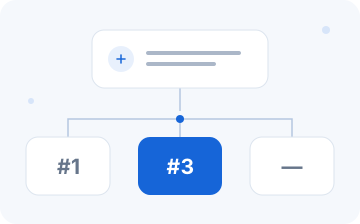
Start with brand visibility
Review mentions, ranking positions and sources together. Show the sample scope alongside the proportion of valid observations.
 OpenGEOOpen demo ↗
OPEN SOURCE · GENERATIVE ENGINE OPTIMIZATION
From user questions to brand mentions. From rankings to answer sources.
OpenGEO brings visibility and evidence into one workbench.
The workbench uses simulated data. Start locally without an API key.
Brand observations
Return to the question, original answer and retrieved sources to review how an observation was formed.
Explore samples and definitions →Values come from a public fixture, not customer results or optimization gains. Retrieved sources and explicit citations are distinct.
FROM VISIBILITY TO EVIDENCE
Keep context with every metric and a fixed scope for every comparison. The diagrams below illustrate concepts.
Review mentions, ranking positions and sources together. Show the sample scope alongside the proportion of valid observations.

Open the samples supporting a metric, then inspect their answers and retrieved sources. Unavailable and not mentioned are different outcomes.
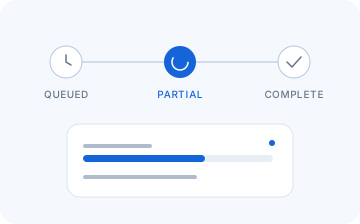
Track progress with the Job contract. Distinguish partial results, complete results and failures, then wait, finalize or cancel as supported.
A CLEARER OBSERVATION LOOP
Define questions and scope → Track the monitoring job → Review answer evidence.
Build a set of questions around real user needs. Record the language, observation environment and time window.
Keep the same Job ID and read completed observations. When only part of a result is loaded, state its coverage clearly.
Compare original answers, mentions and sources before deciding what content work to do next.
Workbench actions for generation, publishing and retesting are planned. Live execution is not available in this preview.
BUILT FOR YOUR WAY OF WORKING
Use the demo to understand metrics, samples and sources before drawing conclusions from a single screenshot.
Explore the demo workbench →Build reviewable tools and controlled tests with the public contract, client, CLI and Mock.
Read the quickstart →OPENGEO JOURNAL
METHOD · 中文Define questions, samples and evidence before discussing optimization.
↗ TUTORIAL · 中文
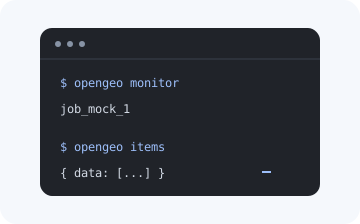
Create, read and cancel using fictional data throughout.
↗ENGINEERING · 中文Distinguish waiting, finalizing, cancelling and safe retries.
↗QUESTIONS, ANSWERED
Generative Engine Optimization concerns brand and content visibility in generative search and AI answers. OpenGEO organizes questions, observations, brand mentions, rankings and evidence into a reviewable workflow.
Both benefit from clear, trustworthy and crawlable content. GEO also examines how AI answers mention brands and use sources. Observation metrics help describe the current state; they do not guarantee rankings or citations.
The public contract, metrics, TypeScript client, CLI, local Mock and read-only workbench preview are available. The online preview uses simulated data. Live monitoring comes from a connected API; the preview has no live sign-in or job creation.
You do not need a key to view the demo or run the local Mock. For a controlled API environment, use its provided endpoint and permissions. Check the capability catalog for supported behavior.
No. AI answers vary with questions, time and observation environment. OpenGEO helps record and review observations. Demo values are not optimization results or customer success claims.
MAKE EVERY OBSERVATION COUNT
Only after you allow it, Google Analytics records public-page views and fixed entry clicks. It may process device and network information and set analytics cookies. Advertising features stay off. Choices apply to this domain; app/blog consent is separate. Withdraw below at any time. Already sent data cannot be recalled.